
Binance Futures trading allows users to speculate on the price movement of cryptocurrencies using leverage, without owning the underlying assets. To start, you need a verified Binance account and sufficient funds in your Futures wallet. The process begins by transferring assets from your Spot wallet to your Futures wallet. You can do this by navigating to the "Wallet" section, selecting "Futures," and clicking "Transfer." Once the funds are available, you can choose between USD-M or COIN-M Futures, depending on your preferred settlement currency.
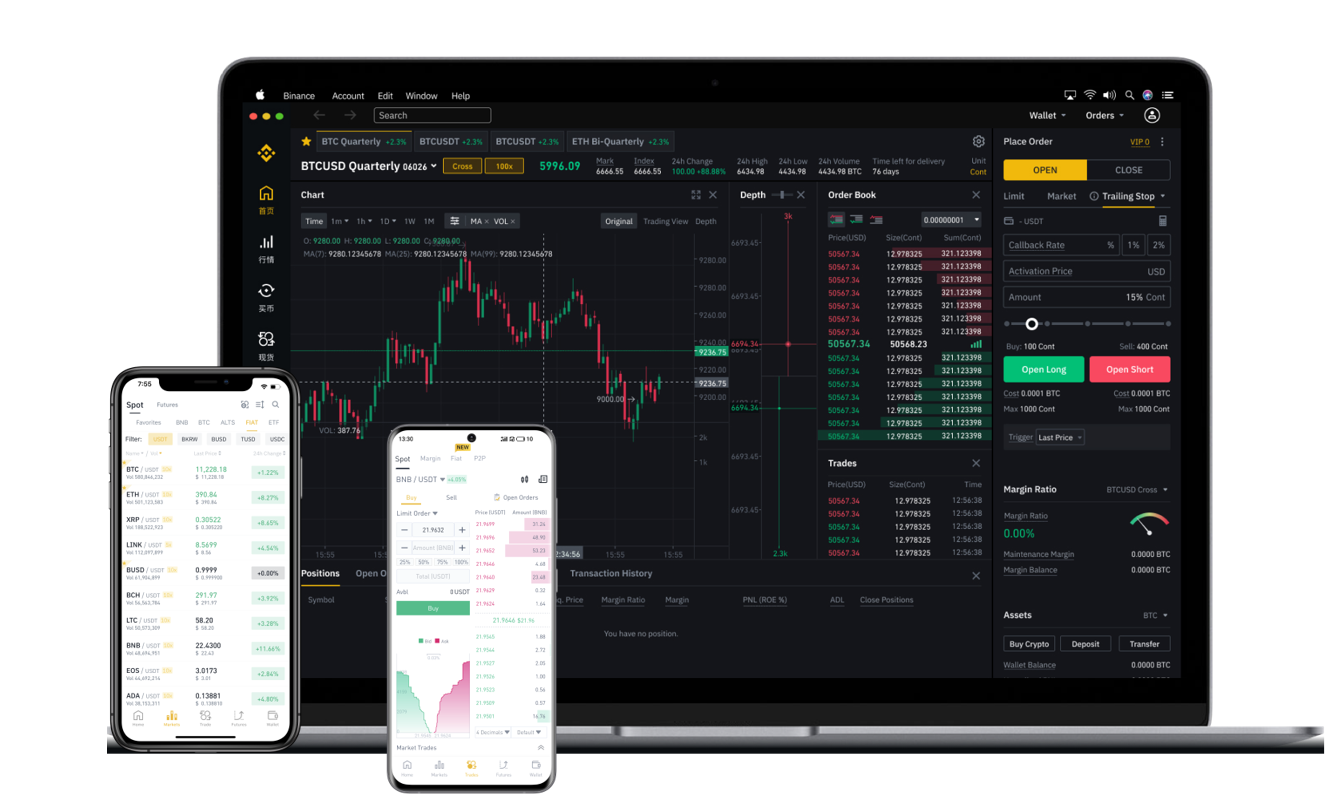
The next step is selecting a trading pair. Binance offers a wide range of crypto futures pairs, such as BTCUSDT and ETHUSDT. After selecting a pair, you will see an interface with a chart, order book, and order panel. Here, you can choose between "Isolated Margin" or "Cross Margin" mode. Isolated Margin limits your risk to a specific position, while Cross Margin uses your entire Futures wallet balance to prevent liquidation. Beginners are generally advised to start with Isolated Margin and low leverage, such as 2x or 5x, to manage risk effectively.
When placing an order, you have several options. The most common are Limit orders, Market orders, and Stop-Limit orders. A Market order executes immediately at the current price, while a Limit order allows you to set a specific price. Stop-Limit orders are useful for entering a position when the market reaches a certain trigger price. To open a position, you click "Long" if you expect the price to rise, or "Short" if you expect it to fall. You must also set the amount in contracts or USDT, and confirm the leverage multiplier.
Risk management is critical in Binance Futures trading. Always set a Stop Loss to automatically close your position if the market moves against you. You can also set a Take Profit level to lock in gains. Both can be configured in the same order panel or added after the position is opened. Additionally, monitor the "Liquidation Price" displayed in your open positions. If the market reaches this price, your position will be forcibly closed, and you may lose all margin allocated to that trade.
To close a position, you can either use the "Close" button in the Positions tab or place an opposing order. For example, if you opened a Long position, you close it by clicking "Sell / Close." Binance also offers a "Reduce Only" feature to ensure you only reduce an existing position without opening a new one. Finally, always review your trading history and P&L under the "Trades" tab to analyze your performance. Practice first with Binance Futures Testnet if you are unfamiliar with the interface, as real trading involves significant financial risk.